Accountancy firm
Client files, submitted and missing documents, review status and deadlines.
Solutions / Business platforms
A client portal, internal workspace or overview of projects and records. The structure, features and design fit your organisation and the people using them.
A document in an email, a deadline in a calendar and an agreement in a separate note. Keeping track of what belongs together, who is responsible and what happens next takes attention.
Meyzal maps out your process and develops a suitable digital workspace. Overviews, statuses, documents, roles and access are chosen around what your users need. A workspace brings information together; whether and which steps are automated is decided for each process.
Client files, submitted and missing documents, review status and deadlines.
Projects, schedules, documents, tasks and responsibilities brought together.
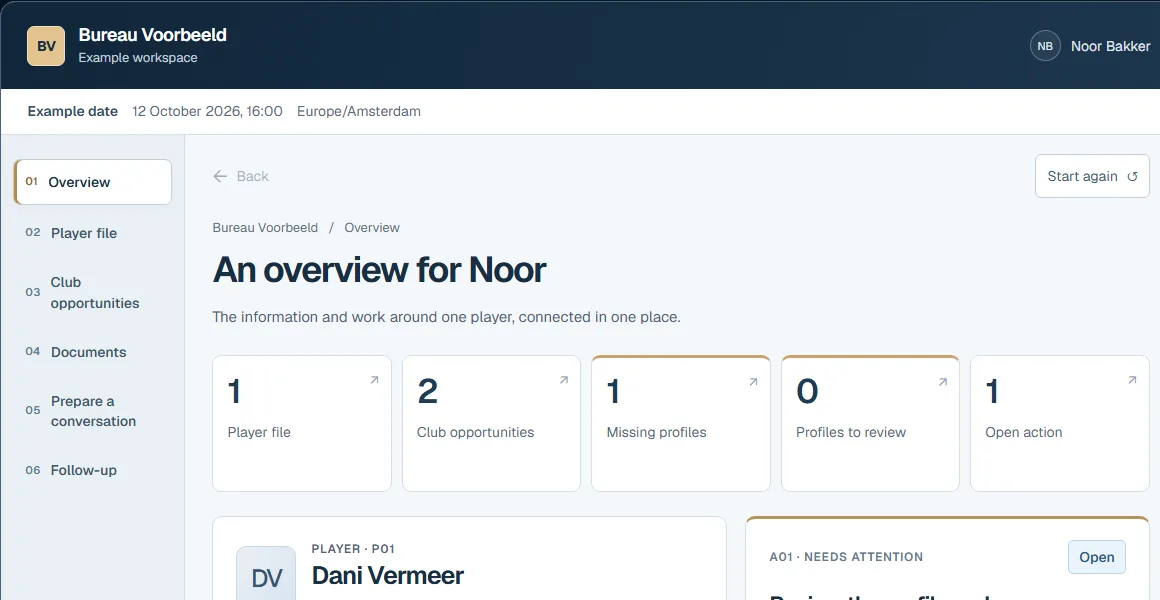
Players, club contacts, documents and follow-up actions connected to the player’s file.
Fictional example
Two fictional clubs are interested in Dani Vermeer. Compare the information and open questions, find the missing player profile and simulate receiving it. The file and dashboard show the same new status: received, review pending. Noor Bakker’s follow-up action remains open.
Explore the football agency exampleA prototype does not automatically include working accounts, data migration, external integrations or production operations. A production version has its own specification of features, security measures, checks and delivery.
We need a process owner and clarity on data quality, privacy, roles and access rights. For production, we also agree on storage, document access, maintenance, backups, export and any external costs.
Together, we find a suitable first step.